Kevin Perks’ Materials

Kevin Perks is presenting Thursday–His handouts are below:

Reading to Learn (RtL) in all Disciplines (Double Session A & B) – Kevin Perks, WestEd   Featured Presenter

With the advent of the Common Core State Standards and the increase in reading standards for teachers in all disciplines, may educators are wondering how to best support students’ reading development. This workshop will describe a process for reading to learn that all teachers can use to support classroom literacy in a consistent and effective manner. Participants will become familiar with the process of Reading to Learn and how it can be used to develop objective-driven text-based lessons. The workshop will also explore strategies for implementing the process of Reading to Learn school- and district-wide.

Reading to Learn – Diagram
Reading to Learn – Overview
Reading to Learn – Participant Packet
Reading to Learn – Rationale
Reading to Learn – Rationale Reading to Learn – Scenarios
Reading to Learn – Slides

Why Join MAMLE?

Folks do not join professional organizations like they used to.  Several books have been written on this topic including Sladek’s The End of Membership as We Know It. The author suggests three big reasons why this trend is occurring:

  • Technology–social media and the internet now provide the connections and resources that one used to rely on their professional organizations for.
  • A shift in demographics–professional organizations tend to be led by baby boomers while the rank and file of the profession are peopled by the Millennial Generation.

The MAMLE Board of Directors, early, vocal supporters of MLTI, certainly recognizes the power of technology in all phases of our lives. We are phasing in this new website that is more interactive and will feature contributors from the field.  Our goal for it and our Facebook page, https://www.facebook.com/Maine.MAMLE, is to not only provide middle level news, resources, strategies, but also to promote conversations among Maine middle level educators and feature successful, innovative practices from across the state.  We are also piloting Pinterest Boards to see if they are useful to middle grades educators.  Right now we have two up:

  1. http://www.pinterest.com/jillspencerinme/door-prizes-at-mamle-conference/    This one is very timely as it lists all of the fabulous door prizes to be given away at our annual conference at Point Lookout.
  2. http://www.pinterest.com/jillspencerinme/effective-strategies-for-the-middle-level-classroo/   Here is a compilation of links to effective middle level practices that have been shown to help students become learners.

If you have suggestions for the types of resources or posts you would like to see, please leave a comment below.

The second point made by Sladek, shifting demographics, applies to every generation.  As people mature in their profession they tend to end up in leadership roles.  MAMLE has a history of supporting emerging leadership of younger middle level educators:

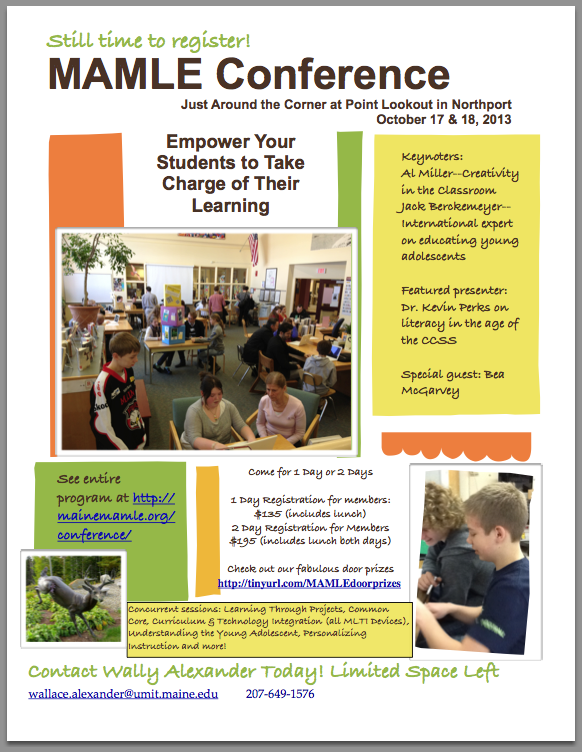
  1. The Annual Conference welcomes with open arms presenters of all ages willing to share successful practices. There are a number of “millennials” presenting at the Annual Conference, October 17-18.  You can see the entire program here: http://mainemamle.org/conference/
  2. The Board encourages younger educators to run for the Board and actively recruits colleagues to get involved either as “Ad Hoc” members of the Board or as contributors to our publications.  Do you have a particular interest you would like to help MAMLE pursue?  Talk to any Board member at the conference, leave a comment below, or contact our Executive Director, Wally Alexander at wallace_alexander@umit.maine.edu

A third point that Sladek makes is that now more than ever, people want a return for any financial investment they make. Obviously, a small, volunteer organization like MAMLE is not going to be offering its members glitzy trips to ritzy resorts or free medical insurance.  However, long time members have no trouble describing what they see as  valuable benefits for belonging to MAMLE.  They share their thoughts in the video below.

Are you in middle level education for the long haul?  Is this your life’s work? Are you on a continuous quest to improve your skills as an educator? Do you want to be part of something bigger than your own classroom, team, or school? Do you want to help ensure the state of Maine pays attention to the unique cognitive, social-emotional, and physical needs of our 10-14 year olds?  If yes, please join us today!

Undergraduate Student Membership ($5.00)
1st Year Teacher/1st Year Member ($15.00)
Individual Membership ($20.00)
Institutional Membership ($95.00)
International Membership ($30.00)
International Institutional ($120.00)

Contact Wally Alexander: wallace_alexander@umit.maine.edu

Gadgets Spur Student Engagement!

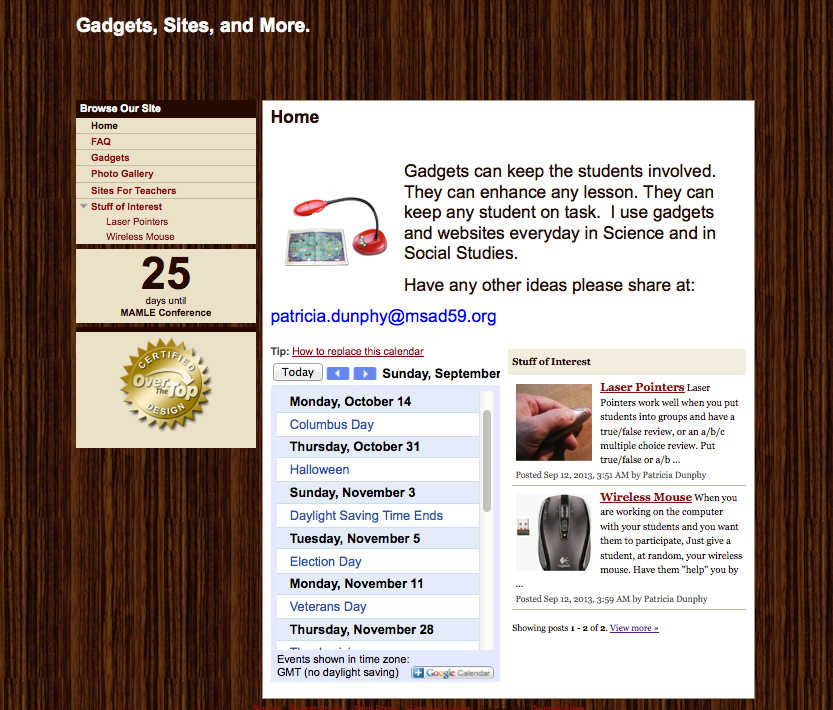
Pat Dunphy from MSAD 59 in Madison shares her Google site below.  Click, read, and learn how to use your wireless mouse and laser pointer to actively involve your students in a lesson.  Pat will be presenting at the MAMLE Conference on Thursday, October 17–Attend her session to pick up some new strategies!

Education for the 21st Century – Patricia Dunphy, MSAD #59

In this day and age of budget cuts, and world event happening faster than textbooks can be printed; how do we get students the information they need to know to be successful?  A laptop, a projector, a pointer, and a Ladibug just might hold the answer.  Come explore the ways information and learning can be shared in any classroom, and don’t be afraid to “click”!     PENOBSCOT (EDUCATION CENTER)

Here’s the link to her google site.

Dunphy

LiveBinders & Trello–2 Tools for Project Work

These web 2.0 tools, LiveBinders and Trello, will help both you and your students manage projects that are collaborative in nature. They are both:

  • Free!
  • Web-based so work on any platform and device
  • Usable on the iPad with an app

LiveBinders

LiveBinders8

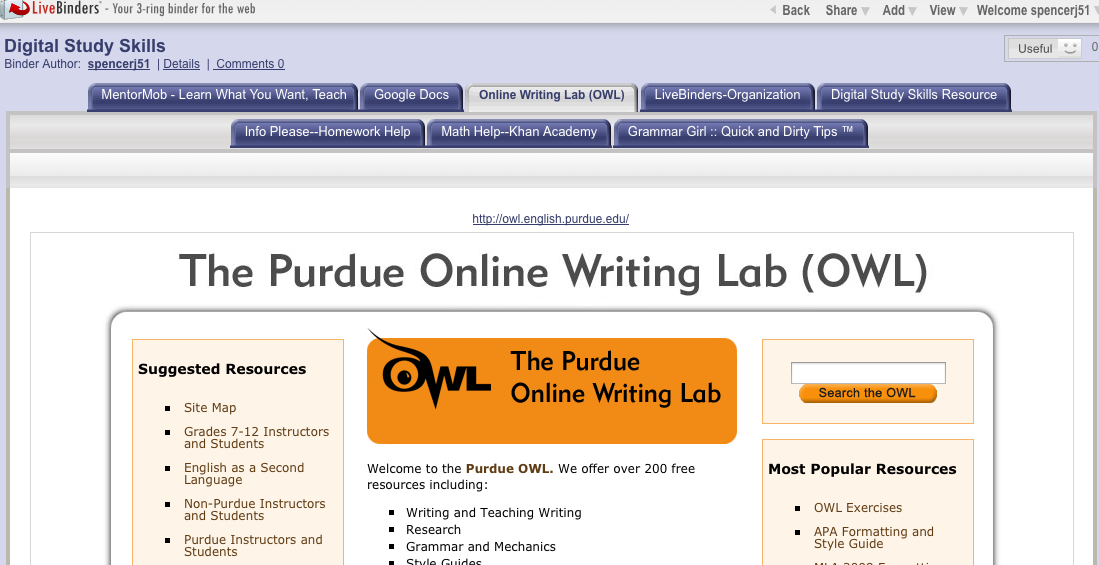
LiveBinders allows students to organize their digital resources in one place on the web and share the URL with those they are working with and their teacher.  Because it is web-based, students can access it from any digital device connected to the Internet at any time. Also students can upload images and notes.

Below is tutorial that explains how to set up an account, put a LiveBinder tool in your bookmark bar, and save and organize resources.

LiveBinder can be kept private or made public.  Here is the URL for one of my public LiveBinders focused on digital study tools:  http://www.livebinders.com/play/play?id=333829&backurl=/shelf/my

Trello

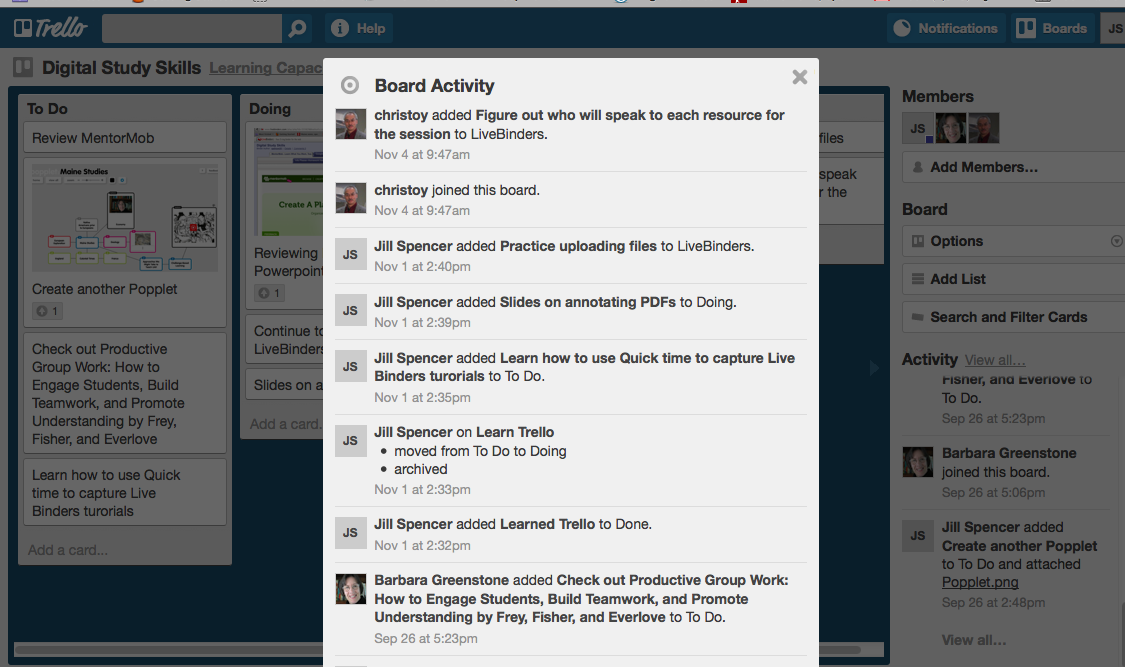
Trello allows students to break their projects down into a series of tasks and then keep track of their progress.  As you can see there is a To Do list as well Doing and Done Lists.

Trello2

The other neat thing about Trello is that the teacher can track who is contributing to the project.

Trello4

Watch this video to see how Trello works and how it can help your students stay  organized and develop self-accountability. The video is from the world of business, however the ideas are easily adapted to the classroom.

There other videos on YouTube about Trello.

What Web 2.0 tools do you and your students find helpful in project work?

5 Great Sites Related to iPads in the Middle School Classroom

The use of iPads, a new teaching and learning device for many, has exploded this year. Check out these 5 sites for ideas and tips for integrating them seamlessly into your classroom:

iPad

Kathy Schrock’s Guide to Everything–iPads in the Classroom   Kathy is a technology integration pioneer.  She was in the classroom, and thus her suggestions are always practical.  Here are some of the topics from this site:

  • Tutorials
  • Apps and related materials
  • iBook creation
  • PD suggestions
  • Ideas especially for special education

18 iPad Uses: How Classrooms Are Benefiting From Apple’s Tablets  The suggestions here are both subject-specific and cross curricular in nature. Some of the ideas include:

  • Virtual field trips
  • Math instruction
  • Going paperless
  • Engaging the disengaged

Tony Vincent’s Videos on YouTube   He has been a keynote speaker at ACTEM and other major conferences.  His website Learning in Hand focuses on hand-held devices in the classroom.  A couple of his videos you probably want to view are…

  • Using (digital) sticky notes in the classroom
  • Talking heads
  • QR codes

The Complete List of iPads Tips, Tricks, and Tutorials   Step-by-step directions on a myriad of topics including

  • PDFs on the iPad
  • Battery life
  • Typing faster with double spaces

Chris Toy’s Workshop Materials page    Chris travels the world working with educators to effectively integrate technology. Fortunately for those not attending his sessions, he posts his materials on his website.  Take a gander to find out about…

  • Web 2.0 tools
  • Tools for collaboration
  • OER —  Open Education Resources

Advice from Mike Muir on Engaging Tasks–Part 3

In his third post in a series on engaged learning, Mike talks about the importance of revision as one crafts a learning task.  Mike’s blog, Multiple Pathways, offers his readers insights into learning,  21st century style. He has generously allowed MAMLE to repost this series. Here is the final installment–enjoy.  By the way, have you visited the Maine Center for Meaningful Engaged Learning yet?

Mike Muir

Getting Better at Engaging Tasks Through Revision.

A great way to get better at Engaging Tasks is to use the criteria for great Engaging Tasks to critique and revise other Tasks. (I’m not sure that I would say that all Tasks are Engaging Tasks! – or, at least, they don’t all start out that way.)

For example, look at this Task:

Imagine that you are living during the Great Depression and that your classmates have decided to put together a time capsule for students of the future to use to learn and understand what life was like during the Great Depression.

Lets start by looking at this critically with an eye to the criteria for Engaging Tasks.

  • Standards-based: Yes.
  • All 3 pieces – Scenario, Role, & Task: Task, yes: put together a time capsule. Role: sort of: you are someone living during the Great Depression. Compelling scenario, not really: the Task doesn’t really provide much more of a context for doing this than you and your classmates have decided to do it…
  • In the form of a “story”- no “teacher talk”: Not written like a little story. Reads like a teacher’s assignment. “Imagine that you are…” “your classmates” are teacher talk, and clues that the Task needs to be revised.
  • HOTS – Apply, Analyze, Evaluate, Create: Could be, depending on how it is framed.
  • Students: authentic or believable: Yes, people do leave time capsules for others to open in the future.
  • Students: interesting or of significance: Mostly: some would clearly enjoy working on this, but there are others who would not. This could be because the Task doesn’t have all three pieces. Often the compelling scenario helps with this.

So if we were to revise this task, we would likely work on the following:

  • Make sure the Task has a compelling scenario and a stronger role
  • Rewrite it as a story, and remove the teacher talk
  • Make sure the Higher Order Thinking focus is more clearly articulated in the activity the students need to complete
  • Double check that the new version would seem significant and interesting to students (or at least more so than the current version)

A new version of the Task might look like this:

It is 1936 and as part of the New Deal, your town is building a new Town Hall. The mayor has issued a challenge to all the school children to help create a time capsule that will be put in the corner stone of the Town Hall then opened far in the future. Your teacher has broken your class into teams of 4 and 5 students and each team needs to help identify the best items to include in the time capsule. The best ideas will be included in the actual time capsule.

How does this version of the Task fare against the criteria? I’ll let you decide, but here are a couple of my thoughts. I’m hesitant to write tasks where the student is a student (I tend to find more engaging the ones where students can imagine themselves in a different role), but this Task already had them as students; whereas I didn’t mind revising this Task, I didn’t want to totally rewrite it. There is now a compelling scenario (new Town Hall and the Mayor’s challenge). The whole thing is written as a story (ok, there is a little teacher talk here, but not the author telling the reader, rather the teacher is a character in this story – see my comments above about students in the role of students…). And “Which is best?” is a short-cut question for getting to higher order thinking (analysis and evaluation).

How might you now get practice getting better with Engaging Tasks through revision?

Maybe you and a group of colleagues are working to write your own Engaging Tasks. You could swap drafts and critique each other’s, offering suggestions for revisions.

This Engaging Tasks feedback form might be helpful.

Or you could look for WebQuests with Tasks in need of critiquing and revising, and practice your skills on them.

Or you could use these sample elementary Engaging Tasks or these sample high school and middle school Engaging Tasks to practice critique and revision.


Resources:
Advice from Mike Muir on Engaging Tasks–Part 2

MAMLE is reposting Dr. Mike Muir’s series on engaged learning originally published on his blog Multiple Pathways. Part 1, defining an engaged task, can be found earlier on this site.  Here is Part 2 of the series.

Mike Muir

The 3 parts of an Engaging Task

Here is an example of an Engaging Task.

It is modern day, and you are on the jury for the trial of Macbeth. Macbeth is being tried for the murder of the King. You will be deciding whether or not Lord Macbeth is guilty or innocent, and how he should be held responsible for his actions. Be prepared to defend your decision to the other jury members.

Engaging Tasks are a really versatile and powerful instructional strategy with their roots in WebQuests. An Engaging Task is essentially a brief story that provides context and a reason for the students to learn what they are about to learn and do what they are about to do. (Don’t you think this is way more interesting to a student than just asking her to write an essay about if they think Macbeth should be found guilty or not?)

There are three key pieces to an Engaging Task:

  • The compelling scenario
  • A role for the student
  • The thing for the students to do

Take a second and look at the example above.

What’s the compelling scenario? What’s the context for the student’s work?

What’s the role of the student? Who is the student in the story?

What is the thing that the student has to do? What is the student expected to produce?


Go ahead. Take a little time and decide on your answers to these three questions. I’ll wait for you…


So what did you decide? What did you say the scenario was? The trial of Macbeth? Who is the student? Did you say juror? And what does the student have to do? Did you say decide on guilt or innocence?

Notice a couple other things, too. Our little story is just a story and the student is just a character in that story (there is no reference to the class, or to the student being a student – they are just other jury members). And there are no directions in our little story (put step by step directions in a separate document). Part of what makes Engaging Tasks engaging is the fact that the student’s imagination is turned loose in the task. Just like you don’t want to go to a Civil War reenactment where the soldiers are wearing sneakers, you don’t want your class or assignment sneaking back into your Task.

You can explore tasks by browsing through Webquests. See if you can identify the scenario, student role, and thing to do in each.

Advice from Mike Muir on Engaging Tasks–Part 1

Almost everyone in middle level education in Maine knows Mike Muir!  We have …

  • taught with him in Skowhegan
  • taken a course with him when he was a professor at Farmington
  • heard give a keynote at MAMLE
  • been mentored through a team project at MLEI
  • attended one of his state, regional, or national presentations
  • read one of his articles or blog posts
  • worked with him in Auburn where he is the current Multiple Pathways Leader

Mike gets around!  In fact he is just about to become the new President of AMLE.

Mike Muir

Mike is passionate about finding ways to ensure each student is given an even chance at succeeding in school. He believes that one important component in this quest is creating engaging and meaningful learning environments.  He has described engaging tasks in a three-part series on his blog Multiple Pathways, a blog well worth following.  He has given MAMLE permission to repost this series.

Here is Part 1.

What’s an Engaging Task?

Are you looking for a teaching strategy that can hook and engage your students? One that can work with almost any content area? Then you’re looking to use an Engaging Task.

Engaging Tasks are an easy-to-implement real world learning strategy.

Engaging Tasks are the part of a WebQuest that make them so engaging to students. But they are such a strong pedagogical strategy that they can be applied to nearly any subject or topic, don’t need to be part of a WebQuest, and don’t even have to be used for an activity that requires technology (although technology can be it’s own motivator!)

WebQuest.org – THE place for everything about WebQuests – defines a WebQuest as an inquiry-oriented lesson format in wich most or all of the information that learners work with comes from the web. Some educators mis-identify a WebQuest as a series of low-level questions that students use the web to track down answers to, but this is far from a WebQuest. WebQuests require that students apply higher order thinking strategies.

The idea of WebQuests was developed by Bernie Dodge and Tom March.

WebQuests follow a specific format and include these 6 components (although sometimes one or two of them might be combined):

  • Introduction
  • Task
  • Procedure
  • Resources
  • Evaluation
  • Conclusion

In my opinion, the part of a (good) WebQuest that makes it so engaging is the task. What makes a task so engaging?

Instead of simply charging students with an assignment, an Engaging Task tells a little story (only a paragraph or so!) that gives the students a reason for doing the work. The engaging task is made up of three parts:

  • The compelling scenario
  • A role for the student
  • The thing for the students to do

Engaging Task Resources: