Auburn MS Hosts iPad User Group

Carl Bucciantini from Auburn Middle School reports via the ACTEM ListServ...

On Thursday February 6 from 3:00 – 4:45 PM, please join us at Auburn
Middle School for the initial Auburn Area Middle School iPad Users
Group. This meeting is intended to be an informative, purposeful, and fun
gathering for middle school teachers who are using iPads in their
classrooms.

This will not be formal professional development, but rather a gathering
of practitioners to share ideas and knowledge around how to make the most
of iPad in the middle school setting. It will be a gathering that will be
of value to all levels of iPad users – from the beginner to the advanced.
To make this happen:

• this event will be led by Auburn Middle School teachers who are using
iPads in their classrooms.

• this event will provide time for teacher-to-teacher sharing of ideas
and resources.

Via the Apple Primary MLTI solution and other implementations, iPads are
being used effectively in middle school classrooms across Maine. This
event will be a time for middle school teachers from Auburn and
surrounding communities to share knowledge & experience, successes &
challenges – all with an eye towards making everyone, including your
students, more effective and innovative iPad users.

Topics addressed during this gathering of the Auburn Area Middle School
iPad Users Group (Auburn MSIUG) will include:

  • Managing the iPad classroom
  • Flipping the classroom
  • APPetizers
  • Managing the workflow

Participants are encouraged to bring their questions and stories of
success.

Please be sure to bring along your iPad and Apple ID information so you’ll
be able to download some of the apps you’ll hear about – wireless access
will be available.

Sixty (60) places are available for this Auburn Area Middle School iPad
Users Group, and registration will close when that number is reached.

Registration is available through the link below:

http://bit.ly/1dQBrgb

Please be in touch with any questions – Jim Moulton – moulton@apple.com

Do Your Students Study the Civil War? Check Out These Fabulous Resources!

Ernie EasterErnie Easter from the New Sweden School presented his integrated unit on the American Civil War at the MAMLE Annual Conference at Point Lookout.  Here’s the description of his presentation from the Conference program:

The Civil War, an integrative unit, is taught through History, English Language Arts, Music, and Art.  Making extensive use of photographs by Civil War Era photographers as well as resources from the Library of Congress, Maine Memory, and the National Park Service, students spend time analyzing photographs and creating their own photographs in the style of Mathew Brady. Also, students read primary and fictional sources to develop their own role-playing character to help them appreciate what is going on as they keep their own diary and react to the events that lead up to and events during the Civil War.  A formal research paper and student presentation round out the unit.

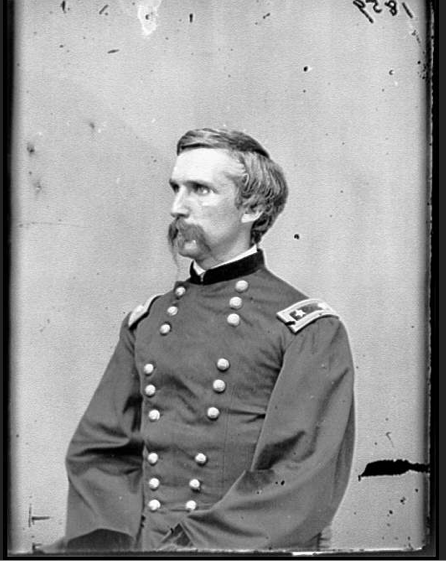
Naturally Joshua Chamberlain plays a role in the unit.

Joshua Chamberlainfrom Maine Memory Network

Literature, art, music, research, historical content are all integrated into this engaging unit.  Role playing is always a popular activity with middle level students; Ernie’s kids create the persona of a person who might have lived through this catastrophic time in our history and write letters and diary entries that reflect the realities of their lives. Below is an image of the graphic organizer they use  to bring to life their “person”.

Ernie GO for Civil War persona

Ernie put all of the materials for his presentation in a Google Drive document and has very generously allowed MAMLE  to publish it here so everyone can access these terrific resources:

Ernie Easter presentation

https://sites.google.com/a/schoolunion122.net/the-civil-war-an-integrated-unit/

Captain Mac–A Fabulous Class/Team Read

MAMLE Conference attendees will have a chance to meet Mary Morton Cowan, author of Captain Mac: The Life of Donald Baxter MacMillan, Arctic Explorer, on Friday, October 18 at Point Lookout. Sit with her overlooking Penobscot Bay and chat about interesting ways to use this award winning biography in your social studies and science classes or as a class or team read. Do you have students who loved Hatchet and Lost on a Mountain in MaineCaptain Mac is another real-life adventure book you can recommend to them. Another cool aspect of this biography is that there are so many Maine connections–MacMillan lived in Freeport and went to Bowdoin, his boat was named the Bowdoin and was built in East Boothbay, and the Peary MacMillan Arctic Museum & Arctic Studies Center at Bowdoin College in Brunswick is named for him. In a time when there is growing emphasis on incorporating more informational text into the curriculum, connecting with Mary Morton Cowan to learn more about Donald MacMillan is an opportunity not to be missed.

Mary’s book has won national recognition:

  • 2010 — National Outdoor Book Award–Children’s Category
  • 2010 — John Burroughs Association List of Outstanding Nature Books for Young Readers
  • 2010 — Honor Book Award from Society of School Librarians International–Social Studies, Grades 7-12 category
  • 2011– Bank Street College, Best Children’s Books of the Year

Here’s what the reviewers have to say:

From the School Library journal: “The author skillfully weaves primary-source quotes with short, action-oriented sentences (e.g., Mac was lucky to escape alive!). The grimmer aspects of Arctic life (drownings, amputations, and eating the weakest dogs) are mentioned but not addressed in detail. This engaging biography is also a solid overview of an era of exploration that still captivates adventurous youths.”

From Booklist: “…the severe hardships and wild beauties of the Arctic come through as strongly as her case for the significance of his achievements.”

From Amazon customers:

“CAPTAIN MAC reads like fiction, so fascinating. But all the more amazing because it’s TRUE! Wow, what a life MacMillan lived. The author’s research was impressive. His story would make a great read-aloud for Gr. 3-5, but it would also appeal to middle school up to adult readers. I’ll be looking for this book on some award lists for the year–it’s truly deserving!”

“CAPTAIN MAC reads much like a novel, yet is meticulously researched, and chocked full of vintage black and white photos.”

“Mary Morton Cowan visits Mac’s boat, the Bowdoin, as tenderly as she would call on a beloved family member. She watched Mac set sail in it for the Arctic in 1954. Mary’s grandfather and Mac were friends. Mary’s family’s factory made sledges for Mac in 1913. Mary is an avid sailor herself. Add these facts together, and readers have not only a fascinating story about a courageous character, they also have a story told from from heart”

Gadgets Spur Student Engagement!

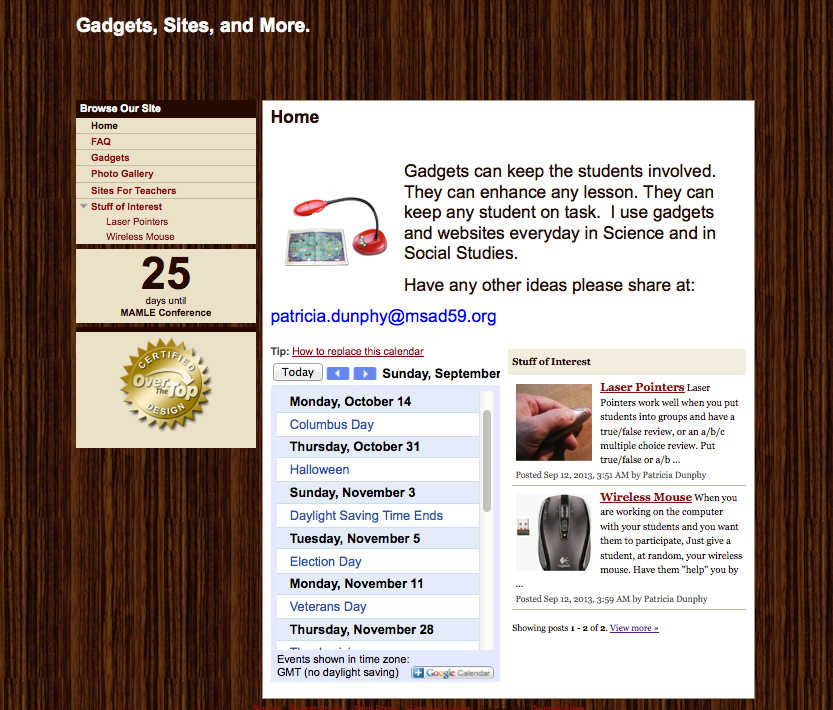
Pat Dunphy from MSAD 59 in Madison shares her Google site below.  Click, read, and learn how to use your wireless mouse and laser pointer to actively involve your students in a lesson.  Pat will be presenting at the MAMLE Conference on Thursday, October 17–Attend her session to pick up some new strategies!

Education for the 21st Century – Patricia Dunphy, MSAD #59

In this day and age of budget cuts, and world event happening faster than textbooks can be printed; how do we get students the information they need to know to be successful?  A laptop, a projector, a pointer, and a Ladibug just might hold the answer.  Come explore the ways information and learning can be shared in any classroom, and don’t be afraid to “click”!     PENOBSCOT (EDUCATION CENTER)

Here’s the link to her google site.

Dunphy

LiveBinders & Trello–2 Tools for Project Work

These web 2.0 tools, LiveBinders and Trello, will help both you and your students manage projects that are collaborative in nature. They are both:

  • Free!
  • Web-based so work on any platform and device
  • Usable on the iPad with an app

LiveBinders

LiveBinders8

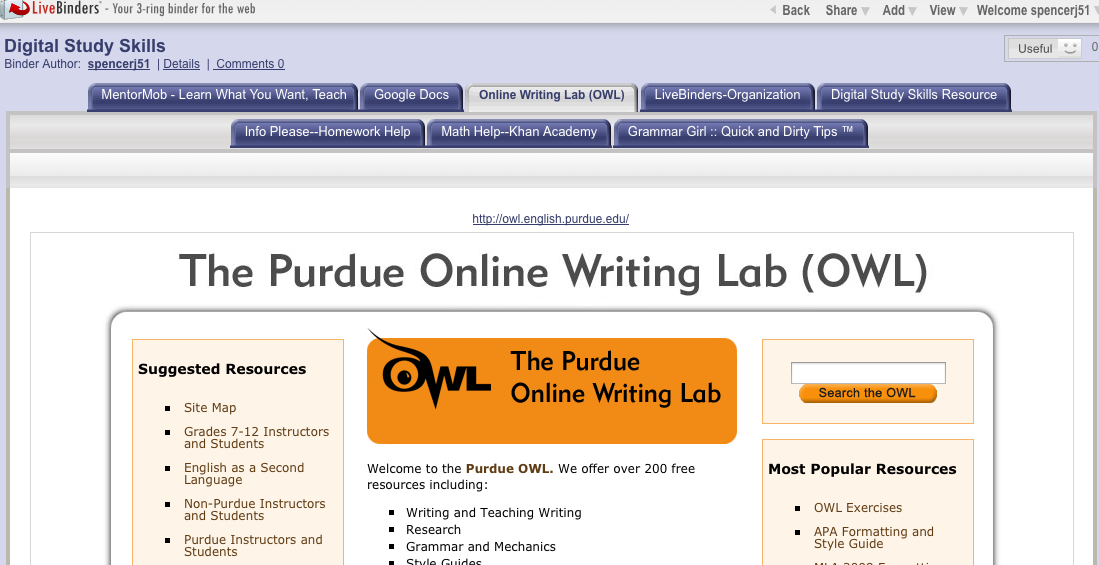
LiveBinders allows students to organize their digital resources in one place on the web and share the URL with those they are working with and their teacher.  Because it is web-based, students can access it from any digital device connected to the Internet at any time. Also students can upload images and notes.

Below is tutorial that explains how to set up an account, put a LiveBinder tool in your bookmark bar, and save and organize resources.

LiveBinder can be kept private or made public.  Here is the URL for one of my public LiveBinders focused on digital study tools:  http://www.livebinders.com/play/play?id=333829&backurl=/shelf/my

Trello

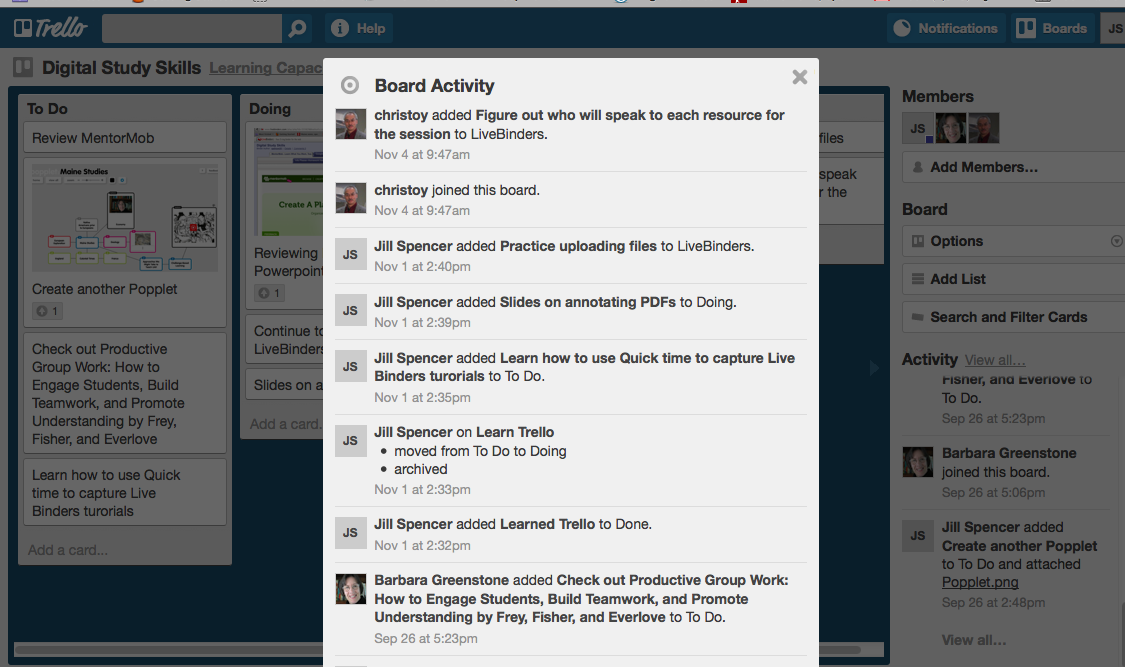
Trello allows students to break their projects down into a series of tasks and then keep track of their progress.  As you can see there is a To Do list as well Doing and Done Lists.

Trello2

The other neat thing about Trello is that the teacher can track who is contributing to the project.

Trello4

Watch this video to see how Trello works and how it can help your students stay  organized and develop self-accountability. The video is from the world of business, however the ideas are easily adapted to the classroom.

There other videos on YouTube about Trello.

What Web 2.0 tools do you and your students find helpful in project work?

5 Great Sites Related to iPads in the Middle School Classroom

The use of iPads, a new teaching and learning device for many, has exploded this year. Check out these 5 sites for ideas and tips for integrating them seamlessly into your classroom:

iPad

Kathy Schrock’s Guide to Everything–iPads in the Classroom   Kathy is a technology integration pioneer.  She was in the classroom, and thus her suggestions are always practical.  Here are some of the topics from this site:

  • Tutorials
  • Apps and related materials
  • iBook creation
  • PD suggestions
  • Ideas especially for special education

18 iPad Uses: How Classrooms Are Benefiting From Apple’s Tablets  The suggestions here are both subject-specific and cross curricular in nature. Some of the ideas include:

  • Virtual field trips
  • Math instruction
  • Going paperless
  • Engaging the disengaged

Tony Vincent’s Videos on YouTube   He has been a keynote speaker at ACTEM and other major conferences.  His website Learning in Hand focuses on hand-held devices in the classroom.  A couple of his videos you probably want to view are…

  • Using (digital) sticky notes in the classroom
  • Talking heads
  • QR codes

The Complete List of iPads Tips, Tricks, and Tutorials   Step-by-step directions on a myriad of topics including

  • PDFs on the iPad
  • Battery life
  • Typing faster with double spaces

Chris Toy’s Workshop Materials page    Chris travels the world working with educators to effectively integrate technology. Fortunately for those not attending his sessions, he posts his materials on his website.  Take a gander to find out about…

  • Web 2.0 tools
  • Tools for collaboration
  • OER —  Open Education Resources

Advice from Mike Muir on Engaging Tasks–Part 1

Almost everyone in middle level education in Maine knows Mike Muir!  We have …

  • taught with him in Skowhegan
  • taken a course with him when he was a professor at Farmington
  • heard give a keynote at MAMLE
  • been mentored through a team project at MLEI
  • attended one of his state, regional, or national presentations
  • read one of his articles or blog posts
  • worked with him in Auburn where he is the current Multiple Pathways Leader

Mike gets around!  In fact he is just about to become the new President of AMLE.

Mike Muir

Mike is passionate about finding ways to ensure each student is given an even chance at succeeding in school. He believes that one important component in this quest is creating engaging and meaningful learning environments.  He has described engaging tasks in a three-part series on his blog Multiple Pathways, a blog well worth following.  He has given MAMLE permission to repost this series.

Here is Part 1.

What’s an Engaging Task?

Are you looking for a teaching strategy that can hook and engage your students? One that can work with almost any content area? Then you’re looking to use an Engaging Task.

Engaging Tasks are an easy-to-implement real world learning strategy.

Engaging Tasks are the part of a WebQuest that make them so engaging to students. But they are such a strong pedagogical strategy that they can be applied to nearly any subject or topic, don’t need to be part of a WebQuest, and don’t even have to be used for an activity that requires technology (although technology can be it’s own motivator!)

WebQuest.org – THE place for everything about WebQuests – defines a WebQuest as an inquiry-oriented lesson format in wich most or all of the information that learners work with comes from the web. Some educators mis-identify a WebQuest as a series of low-level questions that students use the web to track down answers to, but this is far from a WebQuest. WebQuests require that students apply higher order thinking strategies.

The idea of WebQuests was developed by Bernie Dodge and Tom March.

WebQuests follow a specific format and include these 6 components (although sometimes one or two of them might be combined):

  • Introduction
  • Task
  • Procedure
  • Resources
  • Evaluation
  • Conclusion

In my opinion, the part of a (good) WebQuest that makes it so engaging is the task. What makes a task so engaging?

Instead of simply charging students with an assignment, an Engaging Task tells a little story (only a paragraph or so!) that gives the students a reason for doing the work. The engaging task is made up of three parts:

  • The compelling scenario
  • A role for the student
  • The thing for the students to do

Engaging Task Resources: