Advice from Mike Muir on Engaging Tasks–Part 2

MAMLE is reposting Dr. Mike Muir’s series on engaged learning originally published on his blog Multiple Pathways. Part 1, defining an engaged task, can be found earlier on this site.  Here is Part 2 of the series.

Mike Muir

The 3 parts of an Engaging Task

Here is an example of an Engaging Task.

It is modern day, and you are on the jury for the trial of Macbeth. Macbeth is being tried for the murder of the King. You will be deciding whether or not Lord Macbeth is guilty or innocent, and how he should be held responsible for his actions. Be prepared to defend your decision to the other jury members.

Engaging Tasks are a really versatile and powerful instructional strategy with their roots in WebQuests. An Engaging Task is essentially a brief story that provides context and a reason for the students to learn what they are about to learn and do what they are about to do. (Don’t you think this is way more interesting to a student than just asking her to write an essay about if they think Macbeth should be found guilty or not?)

There are three key pieces to an Engaging Task:

  • The compelling scenario
  • A role for the student
  • The thing for the students to do

Take a second and look at the example above.

What’s the compelling scenario? What’s the context for the student’s work?

What’s the role of the student? Who is the student in the story?

What is the thing that the student has to do? What is the student expected to produce?


Go ahead. Take a little time and decide on your answers to these three questions. I’ll wait for you…


So what did you decide? What did you say the scenario was? The trial of Macbeth? Who is the student? Did you say juror? And what does the student have to do? Did you say decide on guilt or innocence?

Notice a couple other things, too. Our little story is just a story and the student is just a character in that story (there is no reference to the class, or to the student being a student – they are just other jury members). And there are no directions in our little story (put step by step directions in a separate document). Part of what makes Engaging Tasks engaging is the fact that the student’s imagination is turned loose in the task. Just like you don’t want to go to a Civil War reenactment where the soldiers are wearing sneakers, you don’t want your class or assignment sneaking back into your Task.

You can explore tasks by browsing through Webquests. See if you can identify the scenario, student role, and thing to do in each.


Advice from Mike Muir on Engaging Tasks–Part 1

Almost everyone in middle level education in Maine knows Mike Muir!  We have …

  • taught with him in Skowhegan
  • taken a course with him when he was a professor at Farmington
  • heard give a keynote at MAMLE
  • been mentored through a team project at MLEI
  • attended one of his state, regional, or national presentations
  • read one of his articles or blog posts
  • worked with him in Auburn where he is the current Multiple Pathways Leader

Mike gets around!  In fact he is just about to become the new President of AMLE.

Mike Muir

Mike is passionate about finding ways to ensure each student is given an even chance at succeeding in school. He believes that one important component in this quest is creating engaging and meaningful learning environments.  He has described engaging tasks in a three-part series on his blog Multiple Pathways, a blog well worth following.  He has given MAMLE permission to repost this series.

Here is Part 1.

What’s an Engaging Task?

Are you looking for a teaching strategy that can hook and engage your students? One that can work with almost any content area? Then you’re looking to use an Engaging Task.

Engaging Tasks are an easy-to-implement real world learning strategy.

Engaging Tasks are the part of a WebQuest that make them so engaging to students. But they are such a strong pedagogical strategy that they can be applied to nearly any subject or topic, don’t need to be part of a WebQuest, and don’t even have to be used for an activity that requires technology (although technology can be it’s own motivator!)

WebQuest.org – THE place for everything about WebQuests – defines a WebQuest as an inquiry-oriented lesson format in wich most or all of the information that learners work with comes from the web. Some educators mis-identify a WebQuest as a series of low-level questions that students use the web to track down answers to, but this is far from a WebQuest. WebQuests require that students apply higher order thinking strategies.

The idea of WebQuests was developed by Bernie Dodge and Tom March.

WebQuests follow a specific format and include these 6 components (although sometimes one or two of them might be combined):

  • Introduction
  • Task
  • Procedure
  • Resources
  • Evaluation
  • Conclusion

In my opinion, the part of a (good) WebQuest that makes it so engaging is the task. What makes a task so engaging?

Instead of simply charging students with an assignment, an Engaging Task tells a little story (only a paragraph or so!) that gives the students a reason for doing the work. The engaging task is made up of three parts:

  • The compelling scenario
  • A role for the student
  • The thing for the students to do

Engaging Task Resources:

Copyright–Not My Favorite Topic to Teach

I love teaching the research process!  Let students loose on a topic they find interesting, and they are enthusiastic and engaged.  I hate teaching Works Consulted, Bibliography, References, or whatever you want to call it. I know it’s critical, I never leave it out of the process, but all of those periods, italics, and colons that have to be in the absolute correct format rarely seem relevant to students. Plus the rules change regularly. Doesn’t matter if it was 1975, 1985, 1995, 2005 or is 2013–it’s really difficult for students (some adults too) to understand the importance of intellectual property and proper citation.  Too many schools have no systematic way of teaching these procedures.  It is getting worse as more and more districts feel they can dispense with the services of a professional librarian at the middle level who would be the onsite expert in all matters dealing with copyright.

The rules of citation really have changed with the easy availability of information, images, and audio via the Internet. Fair use, Creative Commons, public domain–what do these terms all mean and how do they relate to helping students do research efficiently and ethically?  The answers are all contained in a course created by Barbara Greenstone available free to anyone in iTunesU at the iTunes Store as long as they have an  iPad.  You don’t have to do the course as “a course”, however the materials provide an up-to-date resource on the topic.

Here’s how you find the course at the iTunes Store:

1. Go to the App Store and download iTunesU app–it’s free.  Click on the green download button–the image below has an update button because I have already downloaded the app.

app

2. The app will appear on your screen and look like the one below (in the middle with a mortarboard).

app icon

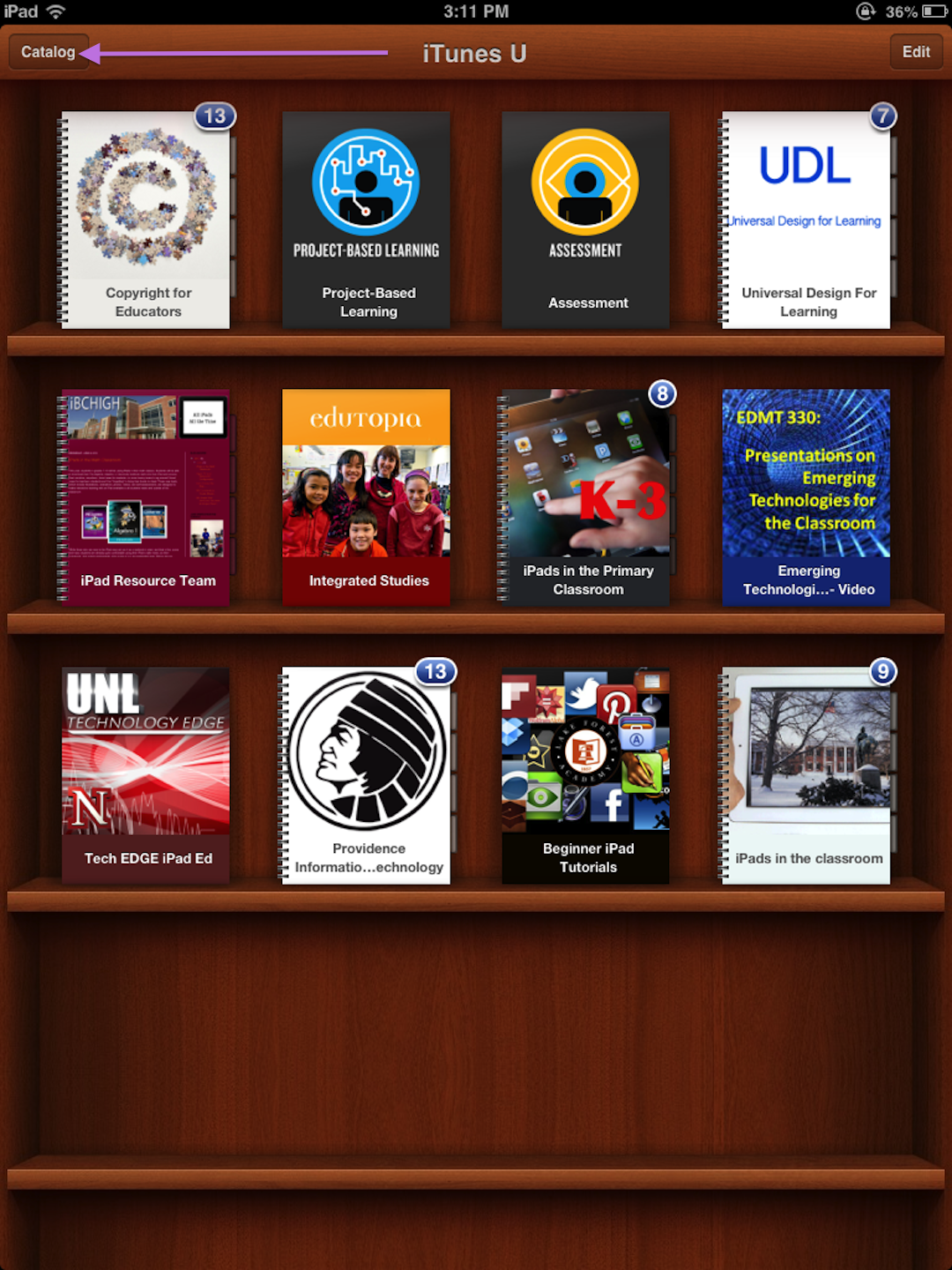
3. Click on the app and your library will open.  You can toggle back and forth between the catalog and your library (what you download through iTunesU) with the button in the upper left hand corner.   As you can see I have already downloaded several courses from iTunesU–all free!

photo-59

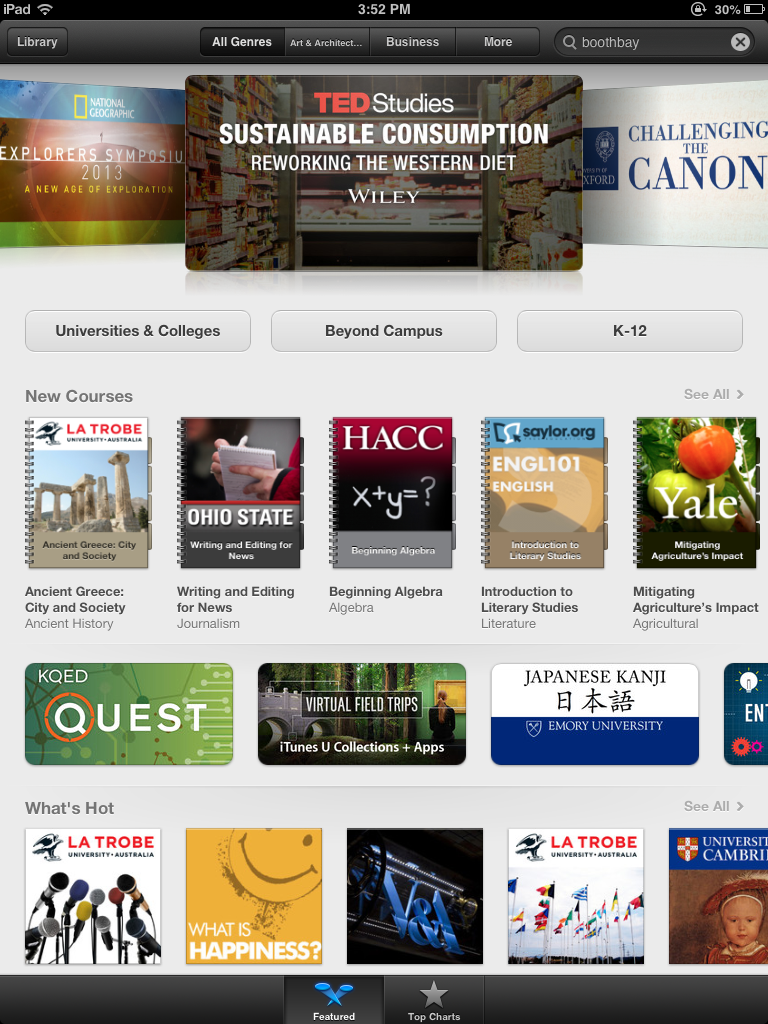
4. Click on the button in the upper left hand corner to get to the catalog, and a screen similar to the one below should appear.

photo-66

5. Click on K-12 and scroll through the B’s until you come to Boothbay-Boothbay Harbor and click on that link.

Boothbaychoice

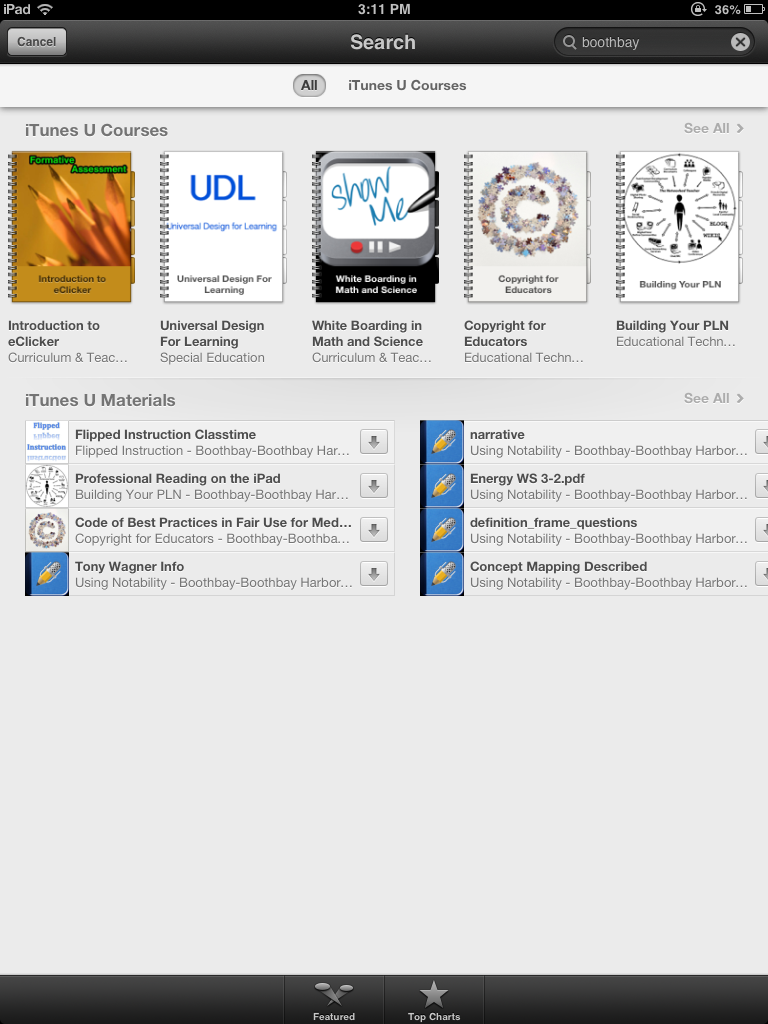
6.  You should then see the courses available from your colleagues in Boothbay!  Click on “Copyright for Educators”.

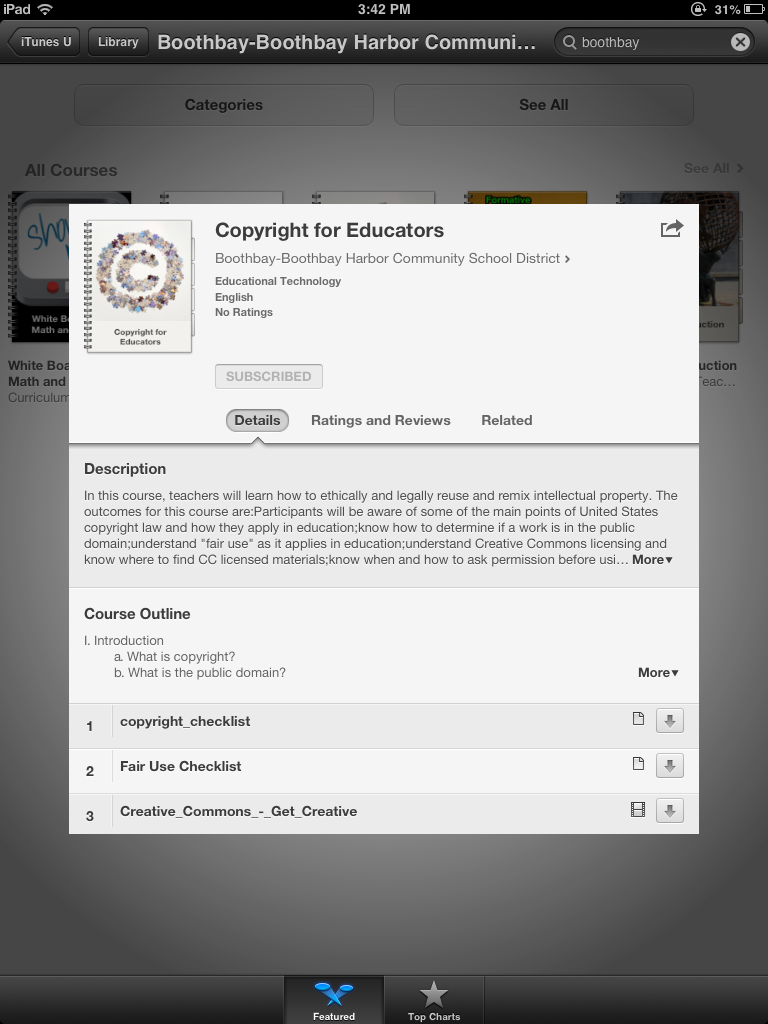
BBHcourse   COURSE SUBSCRIBE   Click on Subscribe in the green box–button here is not green because I have already subscribed to the course.

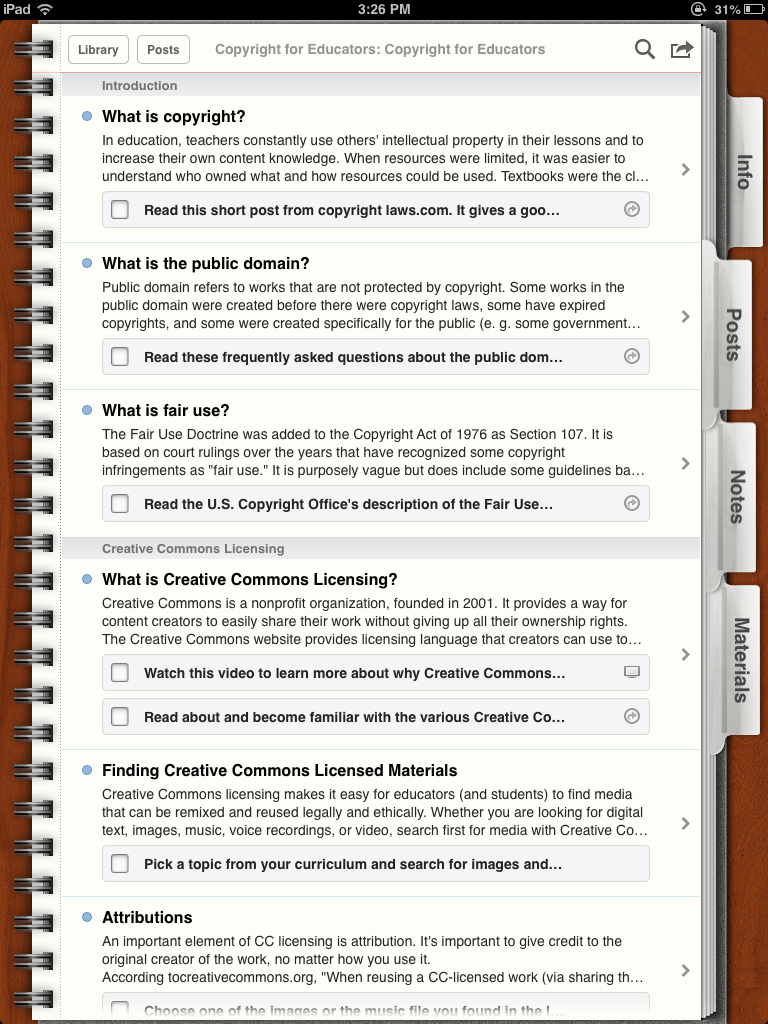
7. Open the file and you will see the course outline. 

course

Some districts allow teachers to create portfolios of independent work to earn re-certification credit.  Time spent on a course like this one would be easy to document because the content is spelled out as well as ways to demonstrate understanding.

Jack Berckemeyer in Action!

Jack is the keynote speaker on Friday at our Annual Conference at Point Lookout on October 17 & 18, 2013. He sends a powerful message about teaching and learning with young adolescents through his humor.  Watch the snippet below to get a preview of what you will experience on October 18, 2013.

Middle Level Education: Living It, Loving It, Laughing About It!